
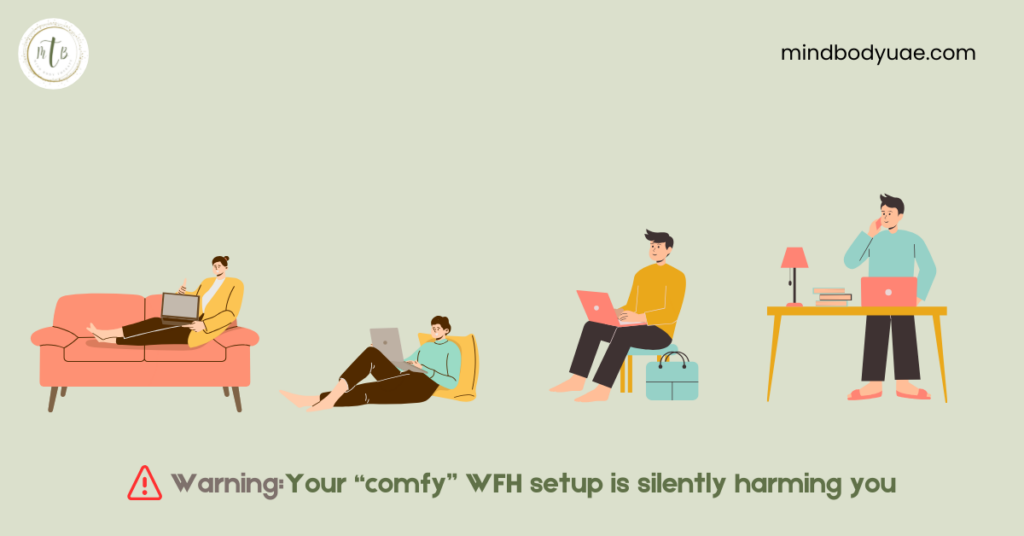
The shift to work-from-home and hybrid schedules brought shorter commutes and flexible hours. What it didn’t promise—and what many discover months in—is that “comfortable” does not equal “ergonomically safe.” Work From Home Ergonomics is often overlooked, and small daily stresses at poorly arranged home workstations accumulate into persistent neck, shoulder, and lower back pain. Reviews during and after the pandemic documented a slight increase in musculoskeletal complaints linked to remote work setups.
The WFH Comfort Myth
Many home setups follow three templates: laptop-only on a dining table, working from a sofa, or perching at a kitchen counter. If you work from home, you might be using one of these options as your workstation. These arrangements may feel cozy, but comfort often masks cumulative load. Soft cushions on your couch and relaxed positions reduce short-term discomfort and encourage forward head posture. This often leads to rounded shoulders and unsupported lumbar curves. These positions elevate muscle activation and joint stress over hours and weeks. Research shows that forward head posture increases neck muscle activity and demand.
Office vs Home: Where Ergonomics Diverge
There are several key differences between an office workstation setup and a WFH setup. These differences favor office workstation as a safe option.
Chair fit & adjustability: Office chairs allow height, depth and lumbar adjustments; many home chairs do not.
Desk height: Office desks support neutral arm angles; dining and coffee tables rarely do.
Equipment and guidance: Offices often supply external keyboards, mice and docking stations and sometimes ergonomics training; many home workers stay on the laptop keyboard and screen.
Screen height & lighting: Fixed monitors are positioned near eye level with controlled lighting; laptops promote downward gaze and higher cervical loading.
Silent and Gradual Injuries
These are cumulative load injuries. Common symptoms include:
- Neck pain: It often worsens after long video calls.
- Lower back ache: It arises from the lack of lumbar support or prolonged flexed sitting.
- Shoulder tension: It is from elevated shoulders or long mouse reach.
- Eye strain and headaches: They are from prolonged focus, glare, and reduced blink rate.
These symptoms start mild and escalate; by the time pain appears, tissue tolerance has often already reduced.
Why Does Awareness Alone Fail?
You decide to sit perfectly at the start of the day. However, habit and nervous-system preferences drive you back to familiar postures. As the day passes, you get back to your usual posture at either dining table, on a cozy couch, or at the kitchen countertop. Therefore, ergonomics must pair equipment with behavior change, environmental cues, consistent movement, and scheduled micro-breaks to interrupt sustained postures. So, awareness, discipline, and consistency matter, which help you follow ergonomics principles.
A Physio-led Ergonomics Approach
As a physiotherapist, I assess workstations using five pillars:
- Chair fit: Seat height so feet are flat or on a footrest, seat depth allowing lumbar contact, and adequate lumbar support—add a small lumbar roll if needed. OSHA guidance highlights fitting the job to the person to reduce Musuloskeletal Diseases.
- Reach and support: Keyboard and mouse should permit elbows at ~90° and wrists n neutral; forearm support reduces shoulder load.
- Vision: Top third of the screen at eye level or slightly below, minimize glare, and use visual breaks like the 20-20-20 approach to reduce digital eye strain. Evidence supports visual hygiene plus set breaks to reduce symptoms.
- Movement: Microbreaks—stand, stretch or walk 1–2 minutes every 20–40 minutes—reduce fatigue and improve recovery. Field studies and reviews show short, regular breaks lower musculoskeletal symptoms.
- Integrated solutions: Combine basic hardware (external monitor, keyboard, mouse) with software nudges (timers, reminder apps) to convert good intent into consistent behavior.
Quick Self-Check
You can use this five-item scorecard to evaluate your workstation. If the answer to below questions is yes, you score 1, and if it is no, then you score 0.
- Feet support: Are both feet flat on the floor or a footrest, with knees near 90°?
- Elbow posture: When typing, are elbows at ~90° and wrists neutral, with keyboard centered in front of your torso? (That means upper arm roughly vertical and forearm roughly horizontal so shoulder muscles don’t overwork.)
- Lumbar support: Does your chair support the low back, or do you use a lumbar roll?
Screen height: Is the top third of your primary screen at eye level or slightly below? - Movement routine: Do you take a microbreak at least every 40 minutes (stand/stretch/walk)?
How to act on your score: If you score ≤3, prioritize raising screen height, restoring lumbar support, repositioning keyboard/mouse, and setting two daily movement reminders. Start with one micro-exercise set (neck rolls, scapular squeezes, gentle spinal twists) and repeat during breaks.
Conclusion
Pain is a late signal; by the time symptoms appear, repetitive stresses have already altered tissue tolerance. Prevention focused on vision, reach, support, and movement is far more efficient than treating chronic pain later. A brief physio-led assessment and a few targeted changes (monitor riser, external keyboard, lumbar roll, microbreak schedule) close most gaps between home and office ergonomics. Start small: change one variable this week and add another the next. Consistent small changes compound quickly, reducing discomfort, improving focus, and building long-term resilience. Make these adjustments this week and reassess in two weeks.
Download the ergonomics e-book for a guided self-assessment, a printable checklist, and five microbreak routines you can start tomorrow.